
Think it. Draw it. Ship it.
The visual database schema tool for clear, fast, collaborative design.
Backed by people who
care about tooling
drawDB is, and stays, free and open source. Sponsors are what make that sustainable.
Help keep it independent and moving fast. Every tier counts.
Trusted by 38.0k+ developers
drawDB speaks every major dialect — design once, then generate clean DDL for the database you actually ship on.





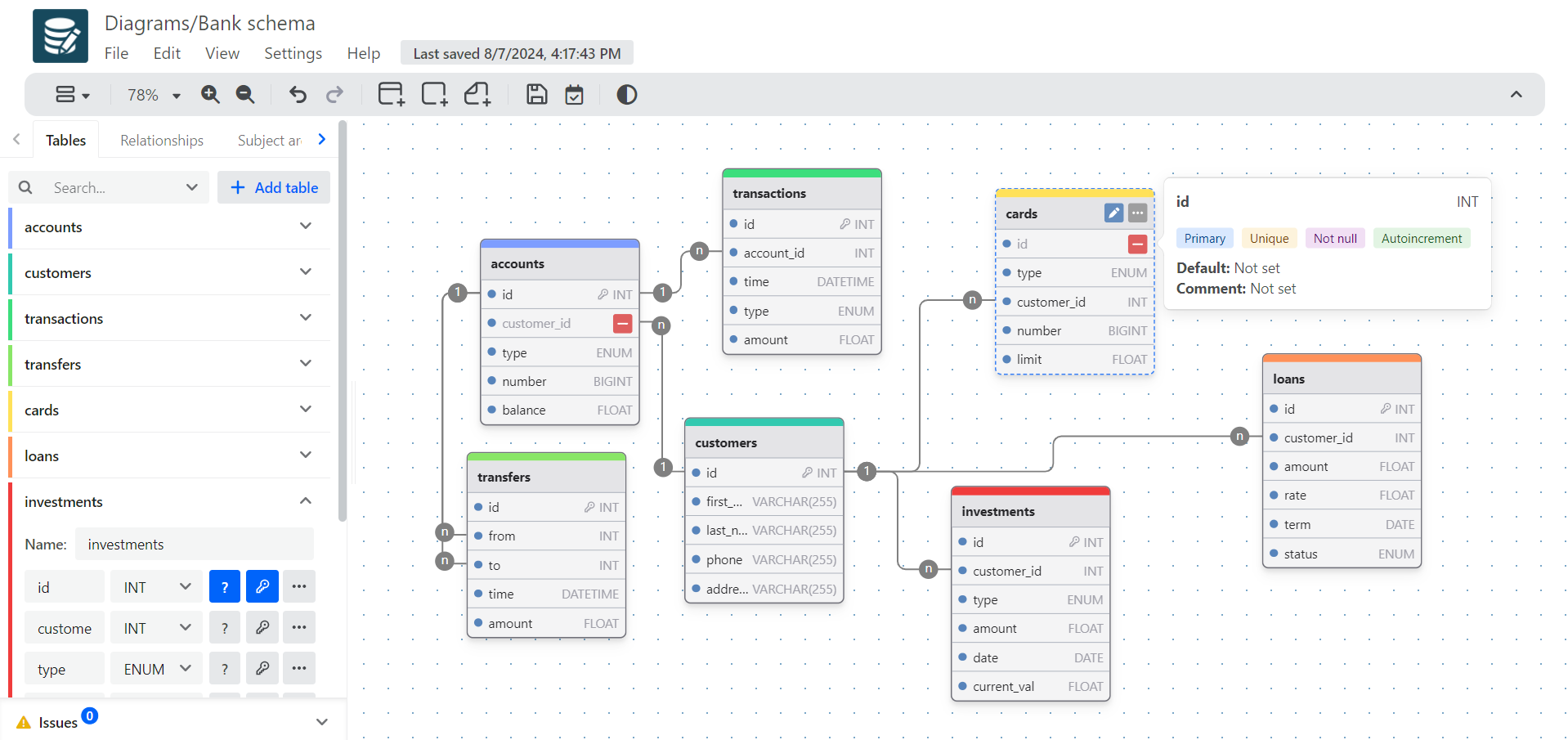
Everything you need to
design a schema
Build diagrams with a few clicks, customize your editor, and generate clean DDL for your dialect.
Run it on
your own infrastructure
drawDB is fully open source. Clone the repo, bring it up with Docker, and keep every diagram behind your own firewall — no vendor lock-in, no data leaving your network.
# clone and run drawDB locally
$ git clone https://github.com/drawdb-io/drawdb
$ cd drawdb
$ docker compose up -d
# → http://localhost:5173
Developers ship schemas
with drawDB
DrawDB is a robust and user-friendly database entity relationship editor right in your browser. Build diagrams with a few clicks, export SQL scripts, customize your editor, and more — without creating an account.
Si quieres mejorar en SQL, tienes que conocer esta herramienta: te ayuda a diseñar tu base de datos, genera el SQL, online, sencilla e intuitiva. Y es gratis y de código abierto.
发现一款免费、简单、直观的数据库设计工具和 SQL 生成器,叫做 DrawDB。用可视化的方式来设计你的数据库,简单拖动就能建立关系,支持导出成各种 SQL 版本。
طراحی دیتابیس یکی از مهمترین کارها در طراحی نرمافزاره. یک ریپو هست که میتونید کاملاً رایگان دیتابیس رو به صورت ویژوال طراحی کنید، export کنید و اجرا کنید.
Frequently asked
Yes. drawDB is free and open source — the full editor runs in your browser with no account required. Pro adds cloud storage, teams, and real-time collaboration on top.
In the free editor, diagrams are stored locally in your browser (IndexedDB), so back them up before clearing your browser. With drawDB Pro, your diagrams sync to the cloud and across your team.
MySQL, PostgreSQL, SQLite, MariaDB, SQL Server, Oracle, and a generic dialect — with import (DDL → diagram) and export (diagram → DDL) for each.
Yes. Paste or upload a DDL script and drawDB reverse-engineers the diagram for you — no manual redrawing. You can also export to SQL, DBML, JSON, or an image.
No. Open the editor and start drawing immediately. You only sign in if you want Pro features like cloud sync, sharing, and team collaboration.
Ship your schema today
No account needed. Open the editor and start drawing.